
Table of Contents
We’ve been here before.
The first time was shadow IT. Developers got access to AWS and Azure on a company credit card, started spinning up infrastructure outside of IT’s knowledge, and before long you had unmanaged virtual machines, unpatched servers, and production workloads running in personal subscriptions nobody knew existed. The response was landing zones, governance frameworks, guardrails, and platform teams. We wrote the playbook. Most of us lived through it.
The second time was low-code and no-code. Microsoft PowerApps, Power Automate, and a whole wave of tools that promised to let business users build apps without needing developers. Some of those apps made it into production. Some of them were connecting to sensitive data sources. Some of them had no auth layer at all. Platform teams spent years building approval processes and governance wrappers around that ecosystem. Some organisations still haven’t fully cracked it.
We’re in wave three now. And this one is different.
The Problem With AI Tooling Isn’t the AI
Before I go any further, let me be clear about something. This isn’t a post about AI being bad. I use AI tools every day, and the productivity gains are real. Claude, GitHub Copilot, and similar tools are genuinely impressive, and they’re not going away. Nor should they.
The problem isn’t the tools. The problem is the same one we’ve had in every previous wave: capability outpacing understanding.
When developers got Azure access, the problem wasn’t Azure. When PowerApps arrived, the problem wasn’t Power Automate. The problem was always that people were given powerful tools without the context to understand what those tools were actually doing underneath.
AI coding tools have a specific characteristic that makes this wave harder than the previous ones. The output looks professional. A PowerApps form looks like a PowerApps form. You can see it was built quickly by someone who isn’t a developer. An AI-generated Node application with a Dockerfile and a structured codebase looks like something a developer wrote. It passes the visual inspection. It probably runs. And that’s exactly where the risk hides.
These aren’t hypothetical concerns. Let me share two things that came across my desk recently. I’m keeping the details anonymous, but both are real, and I suspect versions of them are playing out in organisations right now.
Story One: The App That Routed Around the Platform Team
A colleague, highly skilled in their own field, had been using AI coding tools to build an application. A combination of Claude, GitHub Copilot, and Codex. They described what they wanted to build, and the tools built it. Which, genuinely, is remarkable. This person had no background in software development. Now they had a working application.
That’s the pitch. That’s exactly what these tools are designed to do, and it’s genuinely impressive. The problem is that building software has always carried an implicit assumption: the person building it has enough context to understand the risks of what they’re creating. AI tools have quietly removed that assumption, and most organisations haven’t noticed yet.
They wanted to put it into production.
Our platform team did what platform teams do: said hold on, you’ll need Entra ID authentication and Azure Front Door as a minimum before this goes anywhere near production. Give us a bit of time to set that up properly.
Reasonable. Responsible. The right call.
Here’s where it gets interesting.
Rather than wait, they went back to the AI tools with a different question: “I need to make this app available for other people, how do I do that?”
The AI, optimising for the question it was actually asked rather than the governance context it knew nothing about, suggested building an Electron app and sharing it directly.
I’ll be honest, I had to look up what an Electron app was. For those who haven’t come across it, Electron is a framework that packages a web application as a desktop application. It’s what VS Code is built on. Slack. A lot of tools you’ve probably used. Legitimate technology, widely used, well understood by people who build desktop software.
The AI built it, packaged it up, and it started being shared with colleagues. The platform team, still thinking they were waiting for an infrastructure request, had no idea this had happened.
What The Security Scan Found
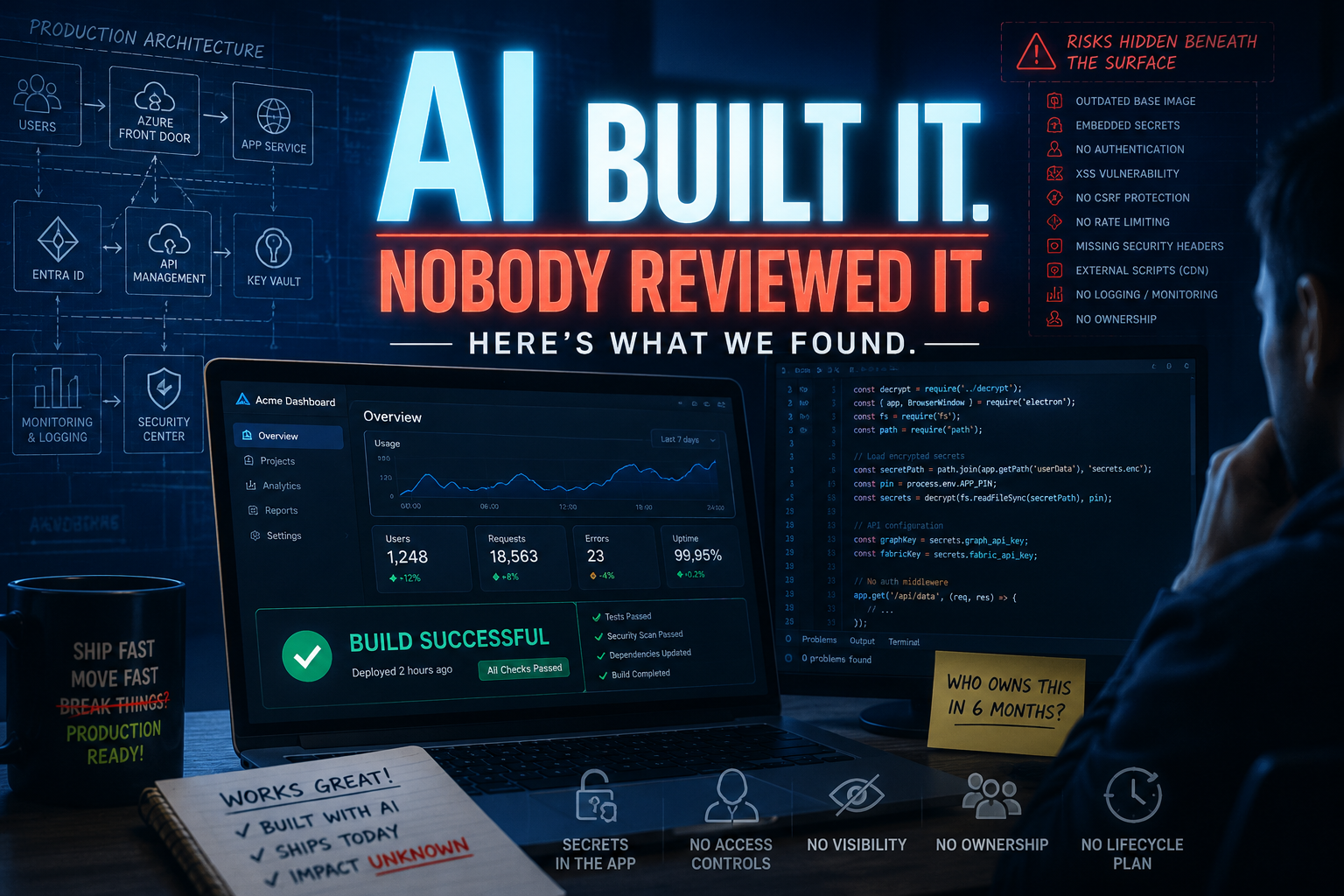
When I eventually got hold of the code and ran it through a security scan, the results were sobering. Not because any individual finding was exotic, but because of how comprehensively the standard security mistakes had been reproduced in one tidy package, with no malicious intent and no obvious signal that anything was wrong.
The Docker base image was node:20-alpine. Node 20 reached end of life in April 2026, meaning it’s no longer receiving security patches, Node 20 reached end of life in April 2026 and is no longer receiving security fixes. The AI selected it without warning, despite newer supported versions being available.
That was the least of it.
The more significant finding: API keys and secrets were bundled directly into the Electron application as encrypted files, with the PIN required to decrypt them loaded from environment variables at runtime. On first run, those bundled secrets were copied into the user’s local application data folder.
The logic makes a kind of sense if you’re not familiar with desktop application security. The app needs API keys to function. It needs to be distributed. The AI found a way to include the keys in the distribution. From a “does it work” perspective, it works. From a security perspective, anyone with access to the installed files potentially has access to the encrypted blobs and the means to decrypt them, exposing API keys that in this case included access to Microsoft Graph and Microsoft Fabric.
There was more. No authentication or authorisation checks on the backend API routes. No CSRF mitigations where state-changing operations were exposed. A stored XSS vulnerability from user-supplied data rendered directly into innerHTML. No rate limiting on the PIN unlock endpoint. No security headers. External JavaScript loaded from a CDN without integrity hashing.
Every one of these is a well-documented class of vulnerability. Every one of them is something a security-aware developer would catch in a code review. The AI generated all of them without hesitation, because the prompts didn’t ask for security, and the AI had no visibility into the environment this would eventually run in.
Story Two: The App That Looked Ready
The second example is in some ways more interesting, because the person involved was genuinely thinking about security. They had used AI tools to build an application and had asked the AI to help them document how it worked. They came to the platform team with what looked like a well-prepared, thought-through proposal. They wanted to use Entra ID for authentication. They had a sign-in workflow planned. That’s more security awareness than a lot of people bring to these conversations.
But when we started asking the follow-up questions, the gaps became clear.
Where are you going to store your client secrets? How will the application reference them at runtime? How do you rotate them when they expire? Who has access to them in the pipeline? What happens when this needs patching six months from now? How does this fit into our logging and monitoring standards? Who owns this application when you move on?
Blank faces.
The AI had helped them get to “we have Entra auth” without helping them understand everything that sits behind that decision in a real production environment. The documentation described what the app did, not how it would be operated, maintained, or governed over time. It was thorough on features and thin on everything that actually matters to a platform team.
This is a subtly different problem from the first story. The first example had security vulnerabilities in the code. This one had a security vocabulary without the underlying knowledge. The AI had made them fluent without making them knowledgeable. They could talk about Entra auth with confidence. They just couldn’t answer the questions that came after it.
The AI Didn’t Fail. The Governance Did.
Looking at both of these, it would be easy to conclude that the AI tools failed, or that the people using them should have known better. I don’t think either framing is right or fair.
In both cases, the AI did exactly what it was asked to do. It built working applications. It documented them. It solved problems as they were presented. The gap is that AI tools are calibrated to make things work, not to make things production-ready in a specific organisational context. Security, governance, operational ownership, secrets management, these require context the AI simply doesn’t have unless you know to ask for it. And if you knew to ask for it, you probably wouldn’t need the AI to answer.
The people involved? They did what any capable, motivated person does when faced with a problem and a powerful tool. They solved it. The fact that there were security and governance implications isn’t a reflection of carelessness. It’s a reflection of how much these tools can do without any of the surrounding knowledge that traditionally came bundled with that capability.
The governance failure was ours. We hadn’t anticipated that someone would use AI tools to route around an infrastructure request. We hadn’t built controls to catch AI-generated code entering our estate. We hadn’t made it easy enough for people to ask the right questions before they built. We had the platform team as the approval gate, and people found doors we hadn’t thought to lock.
This is the pattern from every previous wave. Shadow IT didn’t happen because developers were malicious. PowerApps sprawl didn’t happen because business users were reckless. The path of least resistance led outside the governance boundary, and nobody had built guardrails there yet.
AI coding tools are the same story, with a higher ceiling on what a single person can build and a lower floor on the expertise required to build it.
What Comes Next
The good news is that we’ve solved versions of this problem before, and the playbook transfers.
Some of what these tools produce can be caught with automated scanning. Outdated base images, missing security headers, secrets in unexpected places, these are detectable. Your pipeline can be the safety net, and in the posts that follow in this series, I’ll walk through how to build that layer.
But some of it can’t be scanned for. The decision to bundle secrets into a desktop application rather than use Key Vault isn’t a misconfiguration, it’s an architectural choice made without understanding the implications. No scanner catches that. That’s a platform design problem, and the answer is opinionated templates, approved patterns, and defaults that make the right thing the easy thing.
And some of it is a visibility and governance problem. How do you even know AI-generated code is entering your estate? How do you make the platform team the path of least resistance rather than the obstacle to route around? Those are harder questions without clean technical answers, but they’re the right ones to be asking right now.
Because your version of these stories is probably already in progress somewhere. It just hasn’t landed on your desk yet.
This is the opening post in a new series on securing AI-generated code in your platform pipeline. Next up: what your pipeline can actually catch, and how to build the scanning layer.—