
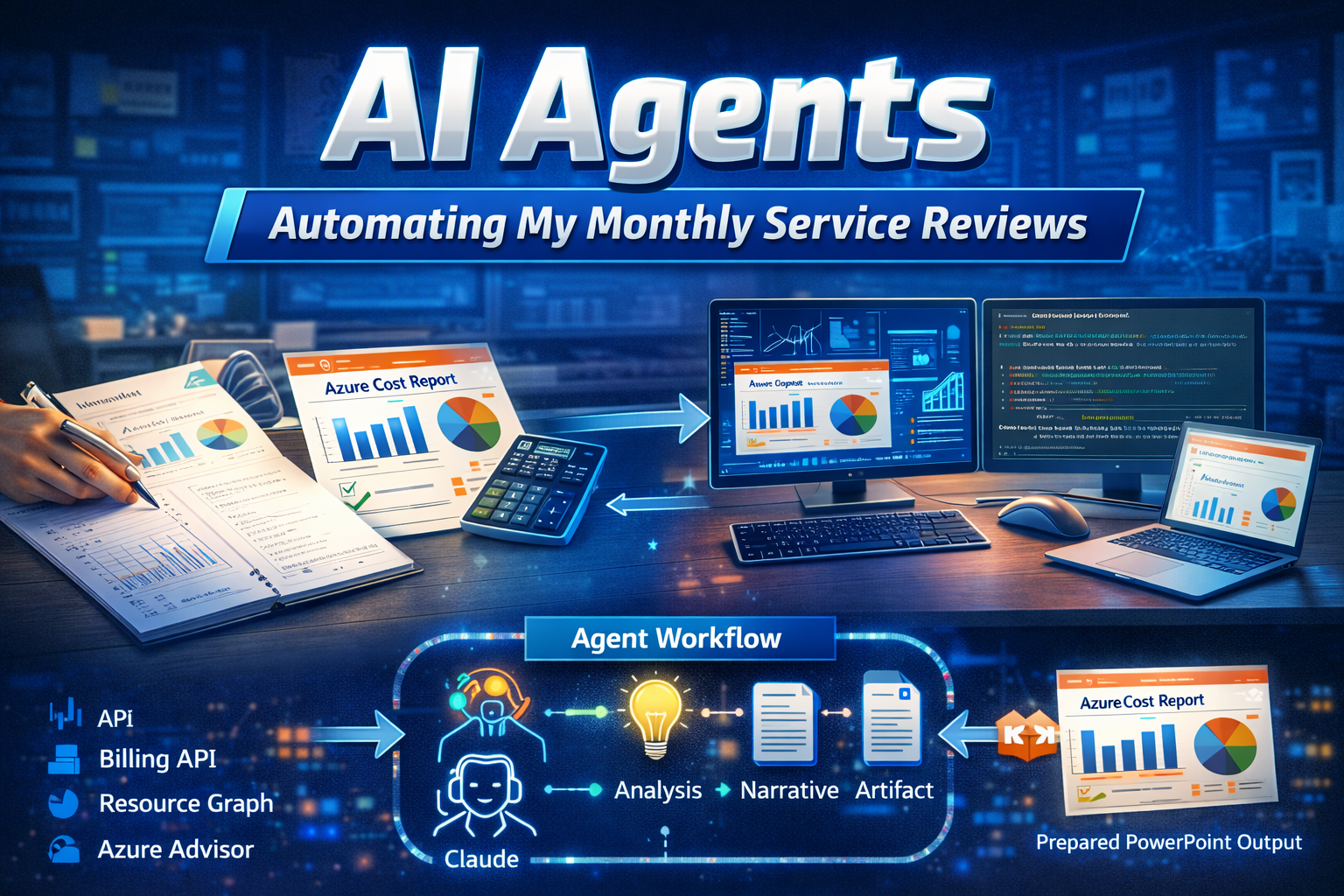
Every month I spend 4-6 hours pulling Azure billing data, resource graphs, and advisor recommendations into a slide deck for our stakeholders. It’s necessary work, costs, right-sizing, performance, resource usage all need reviewing, but it’s pure drudgery. Pull data, compile findings, wrestle it into a deck that doesn’t look like a default template, repeat.
So I built something to do it for me.
I’ve been experimenting with ways AI could actually save me time, not the “use it to answer emails” stuff, which frankly I’m not convinced helps that much anyway. But practical automation that cuts real hours out of my month? I felt that’s worth exploring.
What I built
This AI Agent uses the Python script I wrote that queries Azure using the SDKs, billing data, resource graph, advisor recommendations, and passes all of it to Claude. Claude reads the data, pulls out what matters, and generates a templated slide deck ready for the review meeting.
The script hits three data sources:
- Billing API – spend against budget
- Resource Graph – what’s actually deployed and how it’s configured
- Azure Advisor – cost and performance opportunities
Claude synthesises that into talking points and structures them into slides that follow my template. The output isn’t perfect, and I’ll be tweaking it for v2, but it’s genuinely usable right now.
Here’s what it looks like:
https://github.com/deniscooper/costoptimisationagent/blob/master/Azure_FinOps_Report_March_2026.pptx
You can grab the code and adapt it for yourself here: https://github.com/deniscooper/costoptimisationagent
Getting started
The agent needs Python 3.10+, Node.js, Azure CLI access, and an Anthropic API key. Once you’ve got those, the setup is straightforward:
- Clone the repo and create a Python virtual environment
- Install the Python and Node dependencies (pip and npm)
- Authenticate to Azure with
az login - Set your
ANTHROPIC_API_KEYandAZURE_SUBSCRIPTION_IDas environment variables - Run
python agent.py
Out of the box, it pulls cost data, advisor recommendations, and resource inventory from a single subscription, analyses them through Claude, and generates a PowerPoint deck.
The full setup details are in the README, but here’s what to watch for: Cost Management API can throttle you with 429 errors if you query too much data at once, the script has retry logic built in, but if you hit it hard you might need to wait and retry. You’ll also need at least reader access to Cost Management, Resource Graph, and Advisor APIs in Azure.
If you want to extend it, resource groups, tags, or automated scheduling, the agent structure makes that easy. And if you want the deck to match your org’s template, you can customise the PowerPoint generation script.
The README covers all the technical bits. Grab it, test it on a non-prod subscription first, and let me know if you run into anything.
Important: Data and compliance considerations
This script sends your Azure cost, resource, and advisor data to the Anthropic API for analysis. Before you deploy this, check whether your company’s data governance policies allow that. Some organisations have restrictions on where financial or infrastructure data can leave your environment.
If that’s a blocker for you, the good news is the architecture is portable. You could host Claude through Azure’s model deployment (currently in preview) or use an on-premises option like Ollama or vLLM with an open-source model. The tradeoff is that smaller models may not synthesise the data as effectively, but it’s worth exploring if data residency is a requirement.
The agent design itself doesn’t depend on Anthropic, swapping in another LLM provider is straightforward. You may need to update any anthropic explicit syntax and parameters. If you do that and get good results, I’d genuinely like to hear about it.
The honest bit
This isn’t flawless. The first run needed adjustments. Some of Claude’s recommendations were generic, and I had to refine my prompts to get better context-aware output. But even with those tweaks, I’ll be saving several hours a month, time I’d rather spend on actual engineering and design work than data wrangling.
More importantly, it proved the concept works. If you’re spending time on repetitive data pulling and compilation, there’s probably an AI angle worth exploring.
What workflows are eating your time that could work better with AI? I’d genuinely like to hear what’s working for others, because the next version of this is already in my backlog.