

Table of Contents
“If you can define your entire infrastructure in code, enforce policy globally, and scale on demand – do you still have a datacenter, or do you have a platform?”
This question gets to the heart of why Azure as a data center represents a fundamental shift. It’s not just a place to run VMs—it’s a platform that lets you define infrastructure as code, enforce policy globally, and scale on demand. That’s the difference between a datacenter and what Azure offers.
The keyword here, and the real differentiator between traditional data centers and cloud platforms, is “platform.”
Applications are evolving toward modern, distributed architectures, yet most organisations still carry legacy systems that rely on traditional servers. That’s why our cloud environments must be hybrid by design, capable of supporting both the old and the new.
In this series, I’ll explore how we can use Azure as a modern datacenter model, one that scales, adapts, and evolves as we migrate and modernise our services. We’ll look at key decision points such as:
- Designing your landing zone and network topology
- Operationalising your Azure datacenter
- Migrating workloads effectively
- Implementing governance, cost, and security controls
I’ll address these points in a way that is useful to both cloud architects and IT strategy teams who are considering using Azure as their datacenter.
Let’s kick this off by exploring why Azure is the modern datacenter.
From Hardware to Platform
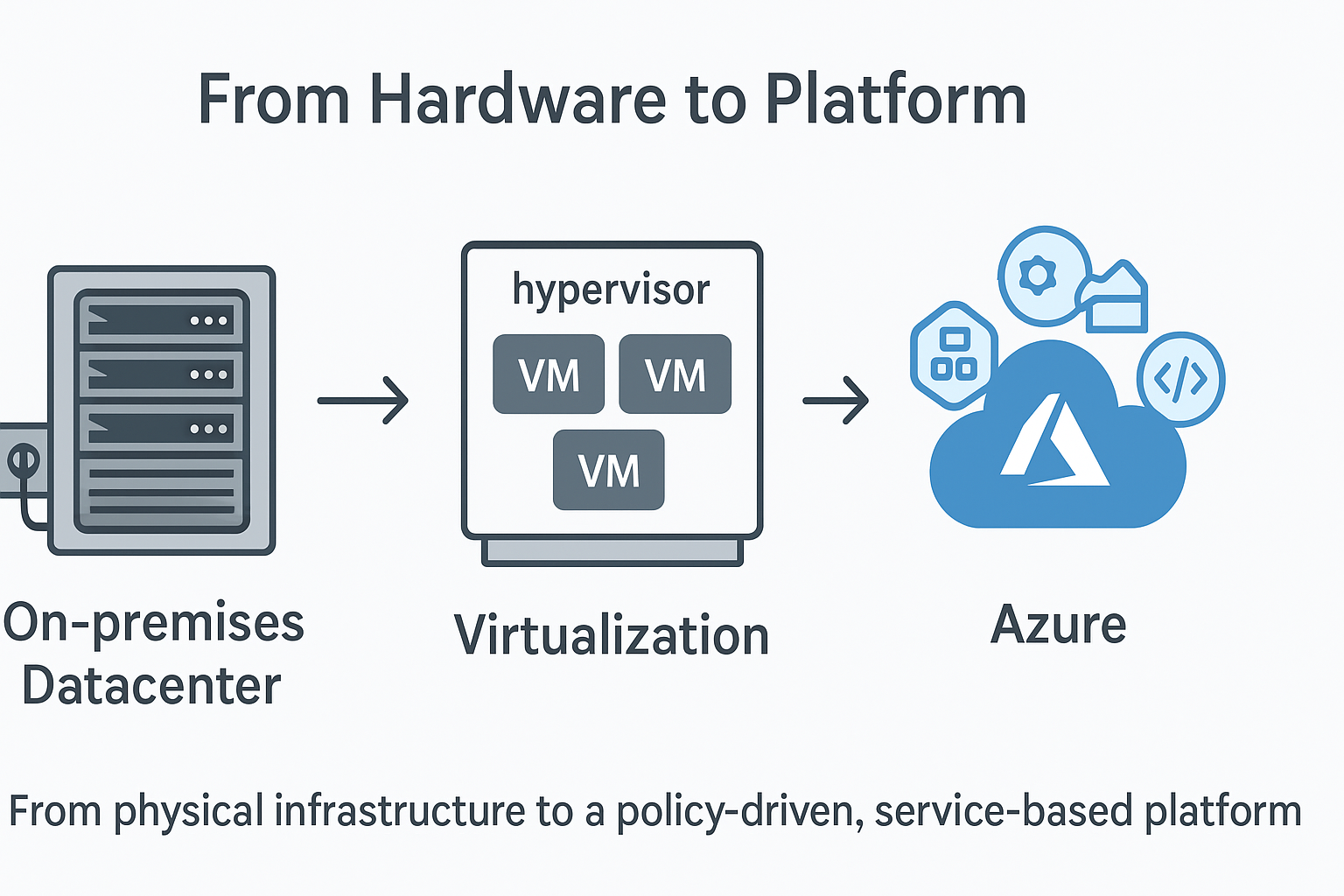
When we think about the traditional datacenter, we often picture rows of racks filled with servers, network switches, and humming power supplies. Some are built in purpose-designed facilities, but more often, they’re tucked into the corner of an office building that was never meant to host them.
Over time, these datacenters grow messy and expensive. Hardware goes out of support, maintenance contracts rise in cost, and space becomes limited. Sometimes the office needs the room back, and IT teams suddenly face the painful question: “Can we move to the cloud?”
But what does a datacenter in the cloud actually look like?
Fundamentally, it’s the same concept — hardware, power, and cooling – just at a far larger scale. The difference lies in what Azure adds: a true platform.
Azure abstracts the physical layer into software. Similar to what VMware or Hyper-V do at the virtualisation layer, but much broader — it’s not just a hypervisor; it’s an entire ecosystem. Compute, storage, and networking become services. The Azure Marketplace opens access to thousands of third-party solutions, while platform services like Azure SQL, Function Apps, and App Services provide modern, scalable building blocks for applications.
And the best part? You don’t have to give up your legacy systems to get there. You can still host traditional workloads, even extend your VMware environment into Azure — while progressively modernising your stack.
Azure transforms IT from being a hardware operator to a business enabler. Instead of managing servers, power, and cooling, teams focus on delivering value, with scaling, maintenance, and support handled by the platform itself.
The platform advantage
When an organisation grows — through mergers, acquisitions, or new ventures — it often needs to expand its data center footprint quickly. Doing this the traditional way is long, complex, and expensive.
Azure, however, is already deployed across 70+ regions, each containing multiple data centers. It provides a ready-built global platform with scale and resilience already in place.
Traditionally, IT teams have built out custom automation using PowerShell or Bash scripts and configuration tools like SCCM. These often rely on scheduled tasks, plain-text credentials, and manual updates. Monitoring depends on third-party tools such as SolarWinds or PRTG – great systems, but costly to maintain and scale.
- Azure, on the other hand, comes with these capabilities natively integrated.
- Infrastructure as Code (IaC) allows us to define environments once and deploy them repeatedly with confidence.
- Automation is handled through managed identities and service principals — no more stored credentials.
- Monitoring is built-in via Azure Monitor and Log Analytics, automatically collecting and centralising telemetry from every deployed resource.
Security is no different. On-premises, we often rely on a patchwork of third-party tools across hardware, networking, OS, and identity layers. In Azure, we can enable Defender for Cloud, giving us a unified security layer that dynamically protects workloads across the platform.
All of these areas — automation, monitoring, and security — will be explored in more depth in upcoming sections of this series.
However, we must also recognise the downsides of this “platform advantage.”
Ease of adoption and scalability can come at a cost. Without the right governance, Azure’s flexibility can quickly lead to runaway spend or security gaps. Microsoft has built a fantastic platform — but it’s up to us as architects to design with intention.
The cloud isn’t a golden ticket. It’s a powerful enabler, but only when guided by clear architecture, governance, and an understanding of the desired outcomes.
Flexibility and Agility
Azure gives us the ability to provision new infrastructure in minutes — virtual machines, SQL databases, firewalls, you name it. This flexibility is one of the biggest reasons organisations move to the cloud. Ironically, it’s also one of the biggest risks. Without structure and governance, “move fast” quickly becomes “clean up later.”
Infrastructure as Code (IaC)
Spending time upfront to define your Infrastructure as Code (IaC) model is essential. I recently shared a quick guide explaining the differences between ARM, Bicep, Terraform, and Ansible, and when you might use each one. Link to post.
When we get IaC right, we’re not just writing templates — we’re building reusable, governed modules that enforce security, compliance, and consistency from day one. Link these templates into deployment pipelines and you’ve got the ability to spin up entire environments in minutes, and just as easily tear them down when they’re no longer needed.
This approach is ideal for UAT and non-production environments that are short-lived, giving teams agility without long-term cost commitments.
Scaling
One of Azure’s biggest strengths is native autoscaling. It allows resources to scale out (add capacity) during peak demand, and scale back automatically when demand drops — optimising both performance and cost.
To fully unlock this benefit, systems need to be designed with autoscaling in mind. Modernising applications to use scale sets, app service plans, or AKS autoscaling should be a key part of any cloud adoption strategy.
Hybrid Reality
Most organisations can’t simply abandon their existing infrastructure and go all in with the cloud. Legacy systems still need traditional VMs, direct-attached storage, and all the architectural patterns built up over decades. There are also many industries which benefit from having some IT Server Infrastructure onsite, manufacturing and health care spring to mind. But that doesn’t mean we can’t get the most out of our investment in Azure as our data center.
Using Azure as a data center brings technical challenges, sure, but it also changes the way teams need to work. If the operational model doesn’t evolve alongside the technology, you’ll end up with poor results and frustrated teams. To really make Azure work as a data center, we need to modernise both the technology and how we operate it.
What we don’t want is another lift-and-shift exercise with no intention of modernising systems over time. Instead, we should be aiming for true integration. Using connectivity options like ExpressRoute, Site-to-Site VPN, or Azure WAN — and combining that with Azure Arc — we can blur the lines between on-premises and cloud. Azure then becomes an extension of your data center, and your data center becomes an extension of Azure.
Now, saying that, there are times where we face a critical, time-sensitive business need to move fully into the cloud, for example, when existing data centers are no longer viable, or when business demands force a complete migration. We’ve got tools to handle those situations, but they shouldn’t be your long-term strategy if you want to truly modernise and maximise cloud value. Services like Azure VMware Solution let us extend our existing VMware environments into Azure and migrate workloads quickly and easily. They still run within VMware, just hosted inside an Azure data center. It’s a brilliant short-term fix — but costs can stack up fast, so I see it as a stepping stone, not a destination.
Azure Arc is one of the key enablers that makes the hybrid model real. It extends Azure’s governance and management tools — Policy, Update Management, Defender for Cloud, and Monitor — to your on-premises resources. This gives you a single view of compliance, security, and performance across both worlds. It also helps your traditional ops teams get hands-on with cloud tools, building real hybrid skills in the process.
I’ll dive deeper into Azure Arc, along with networking design considerations, as we continue this series.
Cost, Governance and Control
Giving teams unrestricted access to Azure is a fast way to end up with chaos — ballooning costs, security gaps, and inconsistent deployments. Governance isn’t about slowing teams down; it’s about keeping them aligned and protected.
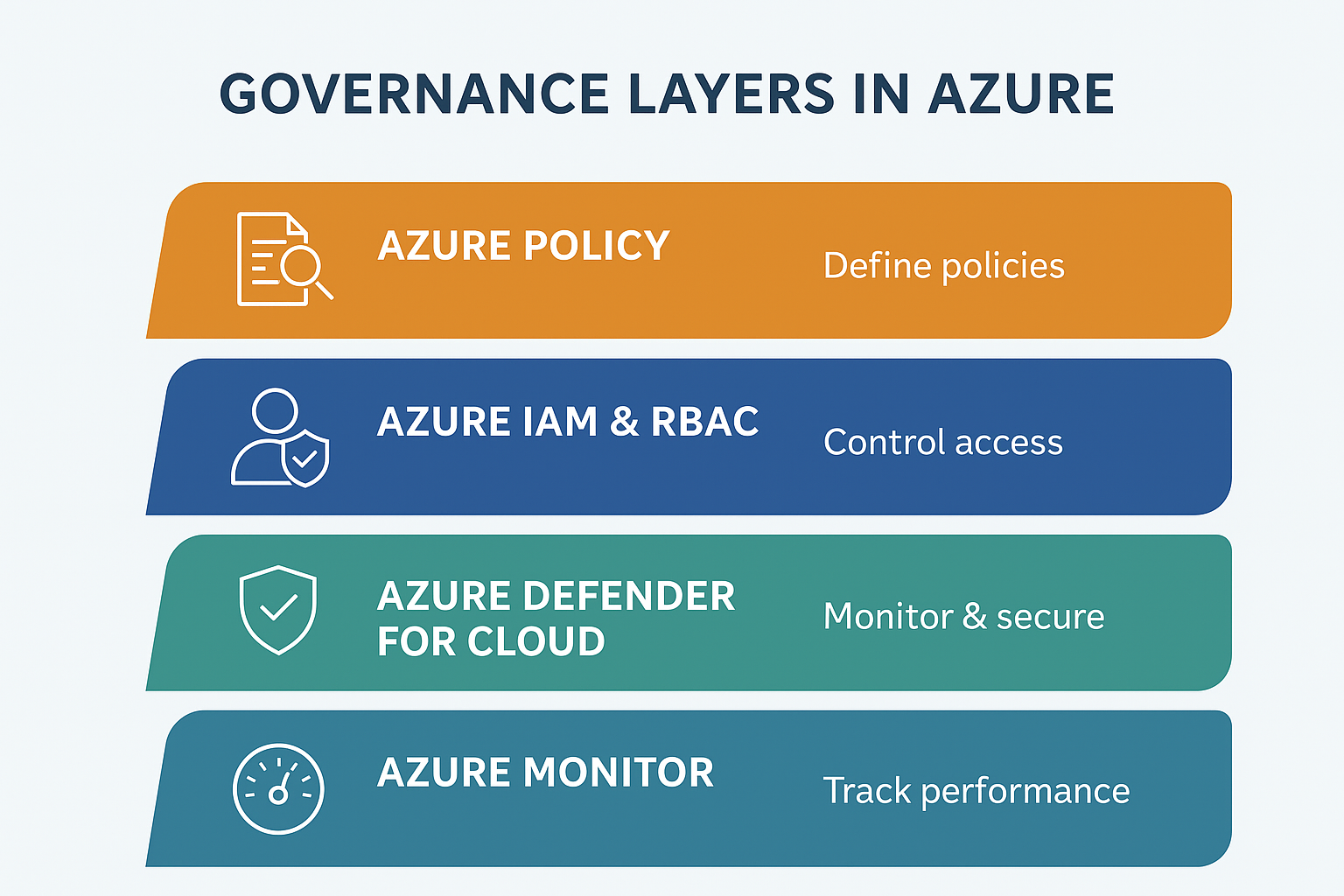
Azure provides a layered approach to governance through Azure Policy, Identity and Access Management (IAM) / Role-Based Access Control (RBAC), and Defender for Cloud.
Azure Policy
Azure Policy provides a “Policy as Code” framework to define what can and cannot happen across your platform. Think of it as the guardrails around your entire environment — it applies to everything, regardless of how it’s deployed (portal, CLI, Terraform, or API).
You can use Azure Policy to:
- Deny deployment of certain resource types (e.g., public IPs).
- Restrict deployments to approved regions.
- Enforce tagging and naming conventions.
- Audit compliance automatically.
This is your top-level control layer, ensuring all activity stays within your organisational boundaries.
Azure IAM and RBAC
Sitting just below Azure Policy, IAM and RBAC define who can do what, and to which resources. RBAC permissions cascade down from management groups to subscriptions, resource groups, and individual resources.
It’s important to note that Azure Policy overrides RBAC. So, if a user has permissions to deploy a VM in UK South, but Policy only allows UK West, the deployment will fail. This hierarchy ensures policy consistency across your entire tenant.
Microsoft Defender for Cloud
Defender for Cloud continuously monitors and secures your environment. It provides visibility and protection across virtual machines, databases, storage, AI services, and even DevOps pipelines.
Beyond visibility, it enables proactive security – with automated remediation, built-in compliance checks, and adaptive protection that evolves with your platform. In many cases, you can trigger automatic runbooks to self-heal vulnerabilities as they’re detected.
The Modern Data Center Mindset
When adopting Azure as our data center platform, we must fundamentally change how we think and operate. The traditional on-premises data center model — where infrastructure is static, manually managed, and siloed — no longer fits.
Azure isn’t just another virtualisation layer; it’s a platform for innovation. To unlock its full potential, we must modernise how we design, deploy, and manage workloads.
That means embracing Infrastructure as Code (IaC) and automated deployment pipelines, where environments are consistent, repeatable, and version-controlled. It means adopting a DevSecOps mindset, where development, operations, and security teams each have clear ownership, yet collaborate seamlessly through shared processes, tooling, and communication.
Don’t treat Azure as merely a place to host virtual machines. Instead, think strategically about modernisation and migration. Use Microsoft’s 8 R’s framework as a guide when assessing applications and systems for the cloud. The goal should always be to modernise first, taking advantage of cloud-native services, managed platforms, and automation to reduce overhead and increase agility.
| Cloud migration strategy | Business driver | Key indicators for this strategy |
|---|---|---|
| Retire | Need to decommission redundant or low-value workloads | • Workload has limited current or future business value • Migration or modernization cost outweighs business benefits |
| Rehost | Need minimal business disruption and no modernization in near future | • Workload is stable • Workload is compatible with Azure • Low-risk migration • Short-term cloud adoption goals • No immediate need for modernisation • Reduce capital expense • Free up data center space • Inexperience with Azure |
| Replatform | Needs PaaS solutions and minimal code changes to offload maintenance and facilitate reliability | • Simplify reliability and disaster recovery • Reduce OS and licensing overhead • Improve time-to-cloud with moderate investment • Containerize app |
| Refactor | Need code changes to reduce technical debt or optimize code for cloud | • Decrease cost of maintenance • Reduce technical debt • Use Azure SDKs • Improve code performance • Optimize code costs • Apply cloud design patterns • Instrument code for monitoring |
| Rearchitect | Need architecture changes to unlock cloud-native capabilities | • Application requires modularization or service decomposition • Scaling needs vary by component • Architecture must support future innovation • Mix technology stacks |
| Replace | Need SaaS/AI solution to simplify operations | • Simplify operations • Internal development resources are better used elsewhere • Little need for customization |
| Rebuild | Need new cloud-native solution to meet requirements | • Legacy system is too outdated or inflexible • Build applications faster • Reduce operational cost • Need modern frameworks and tools |
| Retain | Need stability and no change | • Workload is stable, compliant, and meets business needs • No near-term driver to move • Low ROI from migration |
Coming next…
In the next post, we’ll dive into landing zone design—the architectural foundation that determines whether your Azure data center succeeds or becomes just another costly migration story. We’ll explore network topology, subscription strategy, and how to structure your environment for both Day 1 deployment and Day 500 operations.