

Table of Contents
According to the 2025 Verizon Data Breach Investigations Report, 31% of all Microsoft 365 breaches involved token theft. Microsoft’s own telemetry, published in the 2024 Microsoft Digital Defense Report, puts the scale at an estimated 39,000 token theft incidents per day, and that number is growing. MFA hasn’t solved this. In some ways it’s made it worse, because it gives people a false sense that authentication is the hard problem. It isn’t. What happens after authentication is.
Once a user proves their identity, a token is generated. That token is what gets used to access email, SharePoint, Teams, everything. The problem is that by default, nothing in that token binds it to the device it was issued on. Steal the token, and you can use it elsewhere, within its validity window, with no further checks. MFA never gets a look in.
In this post, I want to walk through the two tools Microsoft has given us to actually address this: Passkeys and Token Protection. I’ll cover what they do, what they don’t cover, and how to configure both.
A Short Primer on Tokens
Before getting into the attacks, it’s worth being clear on which tokens we’re talking about, because they’re stored differently, and protecting them requires different approaches.
Primary Refresh Token (PRT)
A long-lived token stored on the Windows device. It’s used by Windows services and is the ticket that gets exchanged for access tokens. If an attacker gets the PRT, they can generate new access tokens at will. If you want to understand how applications request and consume these tokens, I’ve covered how Entra ID issues tokens to workload identities in a previous post.
Access Token
Short-lived, typically 60 to 90 minutes, and scoped to a specific resource. This is what a MiTM proxy is usually after.
Session Cookies
Not tokens in the strict sense, but they live in the browser and achieve a similar result. Steal the session cookie and you bypass authentication entirely.
The attack vectors matter here. A MiTM proxy is going after access tokens or session cookies. A compromised device is typically going after the PRT. The defences are different for each.
How Token Theft Actually Happens
MiTM Proxy Attack
A malicious actor sets up a reverse proxy , tools like Evilginx are the common example, in front of the legitimate login page. The user authenticates normally, MFA completes, and the token is generated. The proxy intercepts that token before it reaches the user’s browser. The attacker now has a valid, MFA-backed token with no further hoops to jump through.
This is what makes traditional MFA largely irrelevant against this attack class. The user did complete MFA. The token was legitimately issued. You just don’t have it anymore.
Compromised Device
If an attacker has already compromised a device, through malware, a vulnerability, or physical access, they can extract tokens directly from that device. The PRT is the prize here. With it, they can silently generate fresh access tokens for any resource the user has access to, from anywhere.
Passkeys and FIDO2
Microsoft’s position is clear: Passkeys (FIDO2) should be the primary authentication method going forward, and as of March 2026 it’s the default MFA registration option. The reason they’re relevant here is that they’re phishing-resistant by design. Microsoft’s guidance on configuring Passkeys in Entra ID covers the full setup including hardware key support.
The technical mechanism is important to understand: when a passkey is created, it’s bound to a specific relying party origin, the domain it was registered against. When a user attempts to authenticate through a MiTM proxy, the proxy presents a different origin. The passkey assertion fails. The attacker gets nothing, even if the user went through the motions of “signing in.”
This directly addresses the MiTM proxy attack vector. But, and this is critical, enabling passkeys in your tenant isn’t enough on its own. If you enable passkeys but allow fallback to other MFA methods, a MiTM proxy can simply downgrade the session to password and push notification, and intercept the token anyway.
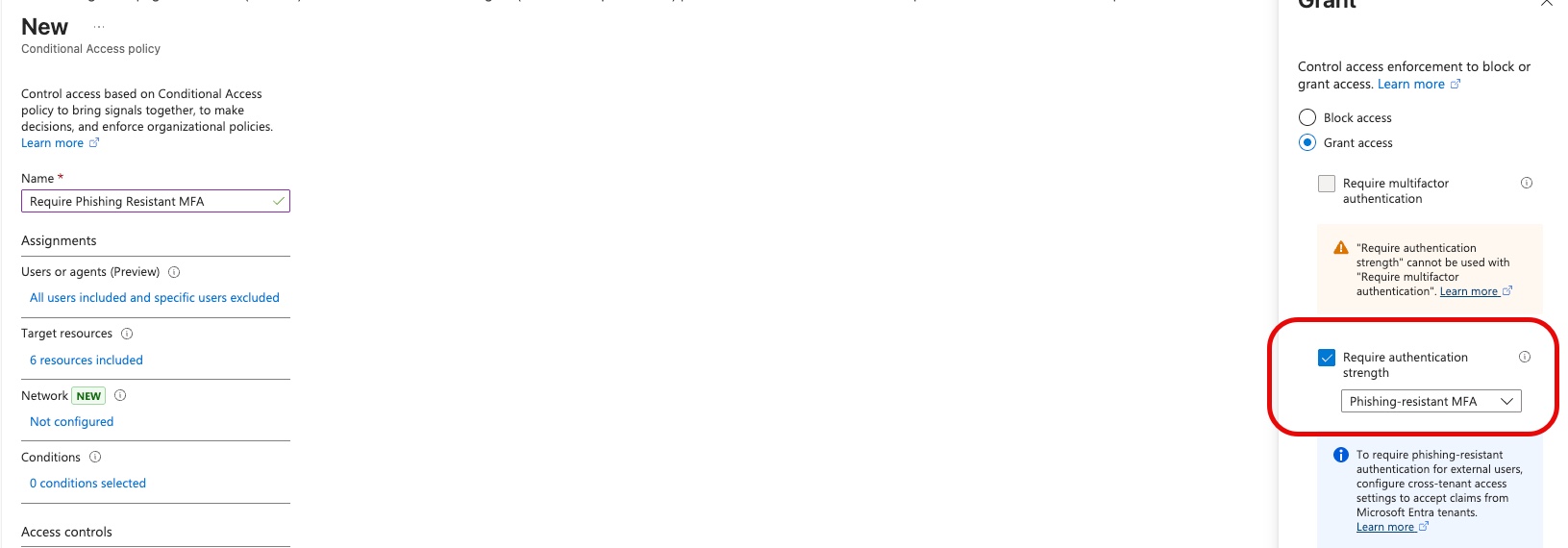
You need to pair passkey enablement with a Conditional Access policy that:
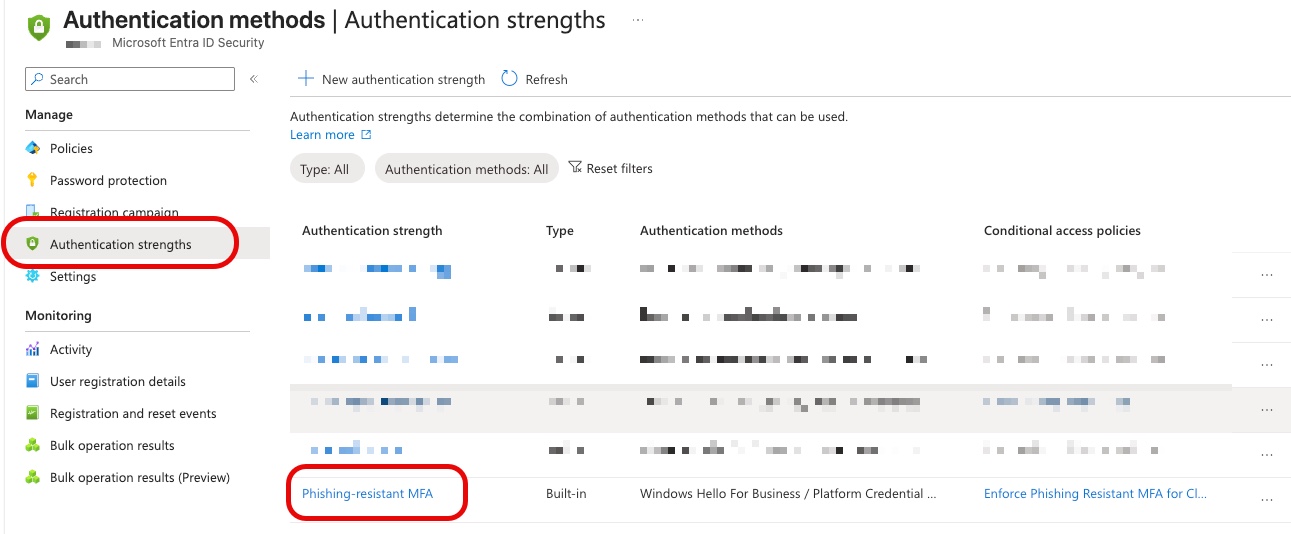
- Requires phishing-resistant MFA (not just any MFA)
- Blocks authentication strength fallback
Token Protection
Passkeys protect the authentication event. Token Protection protects what happens after it.
Token Protection is a Conditional Access session control that cryptographically binds an issued token to the device it was generated on. Conditional Access is a recurring theme in defence-in-depth, if you haven’t already, it’s worth reading how I use it as the final enforcement layer for workload identity security too. If someone steals that token and attempts to replay it from a different device, the request is rejected. This directly addresses the compromised device attack vector.
A few things to be clear on before you rush to enable it:
- Licensing: Requires Entra ID P1 or above
- Platform support: GA for Windows devices as of April 2026; macOS and iOS are in preview
- Application support: Native clients only: Outlook, Teams, and similar. Web-based applications are not currently supported
- Device requirements: Hybrid Azure AD joined for Windows; macOS and iOS require the Entra SSO plugin and Intune enrolment
To configure it, create or edit a Conditional Access policy, navigate to Session controls, and enable Require token protection for sign-in sessions. You can optionally set the policy to only apply for supported applications and device types.
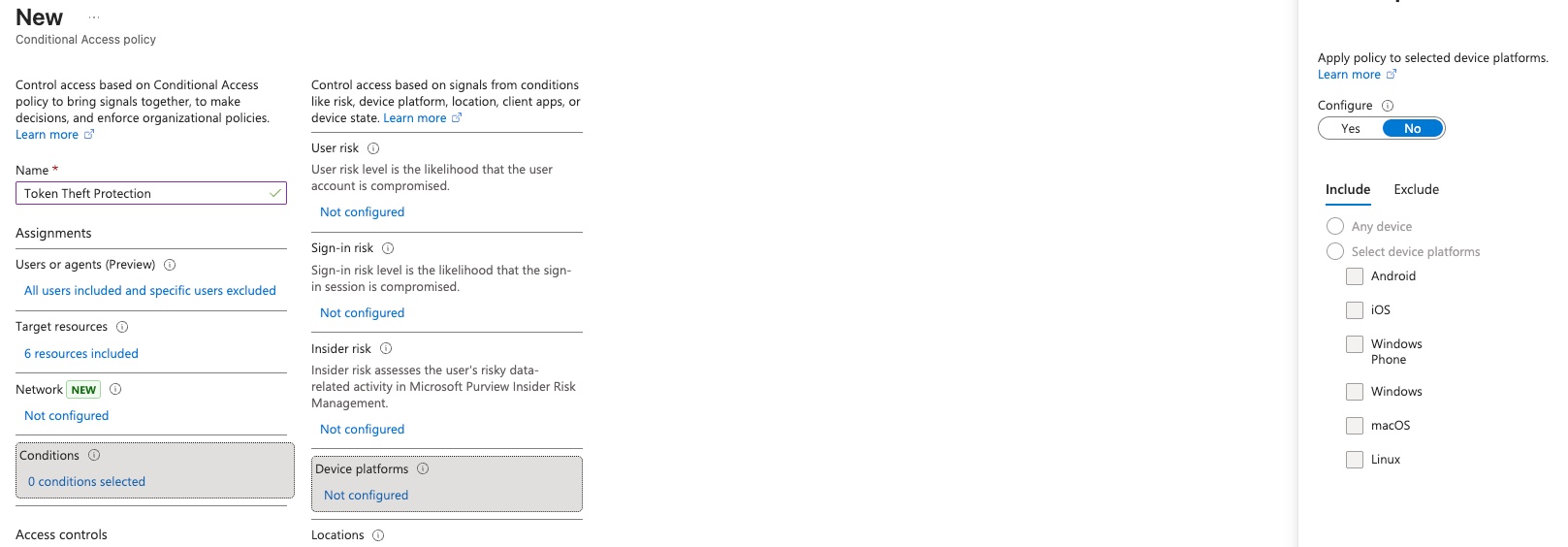

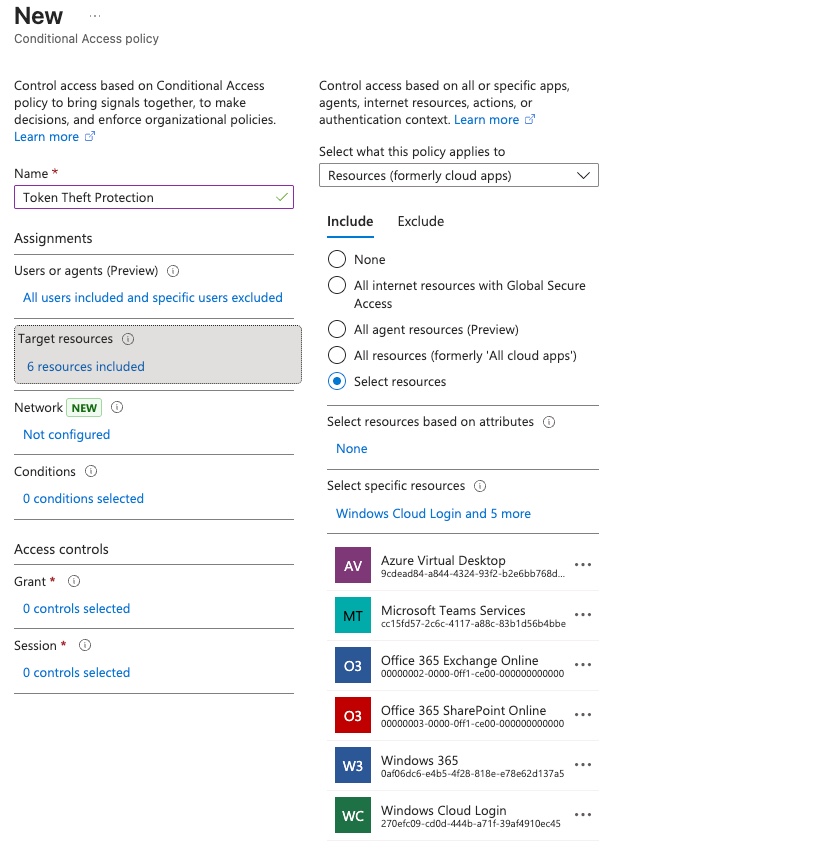
Start with a small pilot group before broad rollout. Unsupported apps will be blocked by the policy, so you need to validate your application landscape first.
Continuous Access Evaluation
Worth a mention alongside these two: Continuous Access Evaluation (CAE) doesn’t prevent token theft, but it significantly reduces the damage window. By default, an access token is valid for 60–90 minutes. CAE enables near-real-time token revocation, so if an account is disabled, a password is changed, or a suspicious event is detected, the token can be invalidated within seconds rather than waiting for natural expiry. It’s enabled by default for supported workloads (Exchange Online, SharePoint, Teams) and is worth verifying is active in your tenant.
Building Additional Layers
Passkeys and Token Protection address the two primary token theft vectors, but neither covers every scenario. Layering additional controls is worthwhile:
- Named Locations / Country Restrictions: Block or alert on authentication from countries you don’t operate in. Coarser than Token Protection but catches a wide class of opportunistic attacks
- Sign-in Risk Policies: Entra ID Protection can detect anomalous sign-in patterns and step up or block in real time
- Privileged Identity Management: For admin accounts especially, time-bound access and approval workflows reduce the blast radius if a token is compromised
Summary
Token theft is the attack that MFA doesn’t stop, and the statistics suggest it’s working at scale. Passkeys close the gap on phishing-based token interception. Token Protection closes the gap on device-based token theft. Neither is a complete answer on its own, and neither replaces the need for broader defence-in-depth.
Start with Passkeys and enforce phishing-resistant MFA strength in Conditional Access. Add Token Protection for your Windows estate and extend to macOS/iOS as those reach GA. Layer sign-in risk policies and named locations on top. No single control covers everything, the goal is to make token theft expensive, noisy, and hard to exploit undetected.
This hits the nail on the head regarding modern identity security threats. As organizations successfully adopt multi-factor authentication (MFA), threat actors have naturally adapted, moving from credential phishing to sophisticated session hijacking and Adversary-in-the-Middle (AitM) attacks. Once a user completes MFA, stealing that post-auth session token completely bypasses traditional defense layers. Highlighting token protection strategies—like token binding, device compliance checks, and continuous access evaluation—is incredibly critical for modern enterprise security architectures. Excellent and very relevant insights